Using fonts
Using your font in KakaoTalk
How to use a font you registered in the KakaoTalk app.
This guide is not affiliated with KakaoTalk and was made independently.
Step by step
1
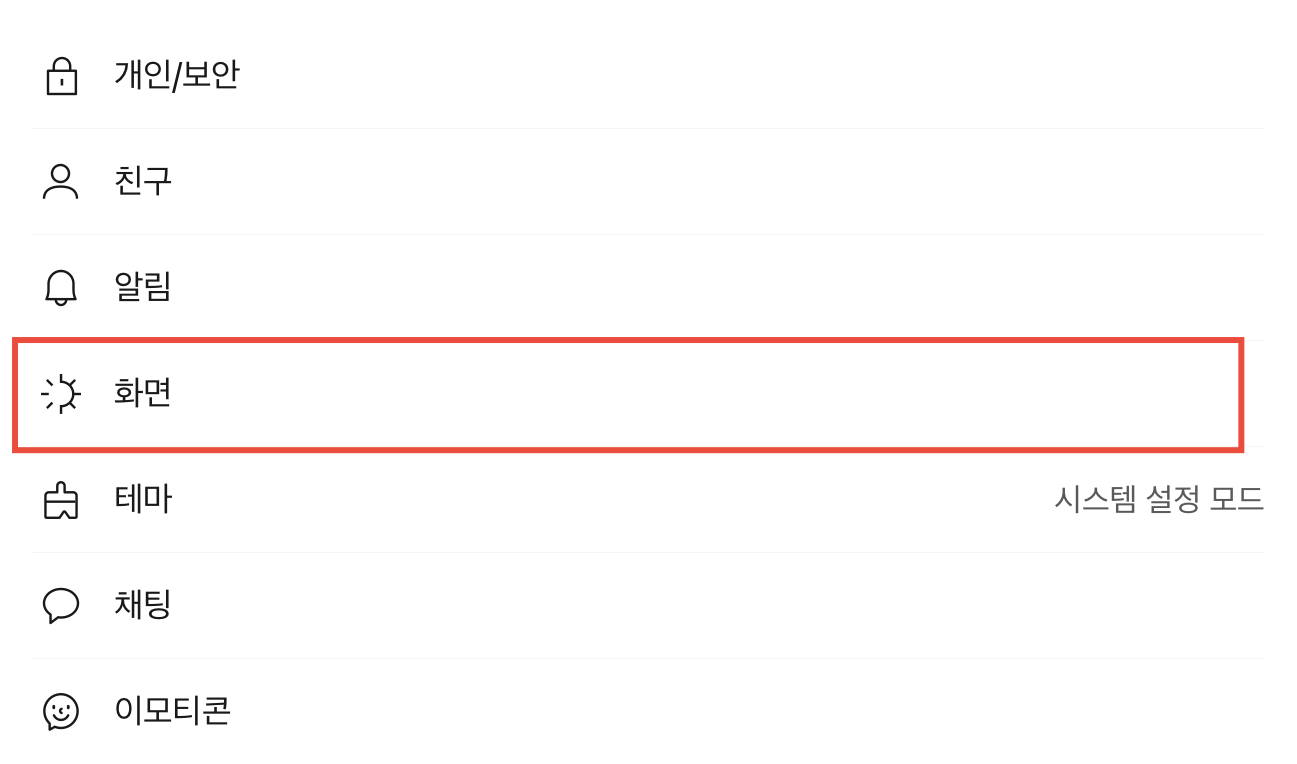
Settings > Screen
Open Settings and select “Screen”.
2
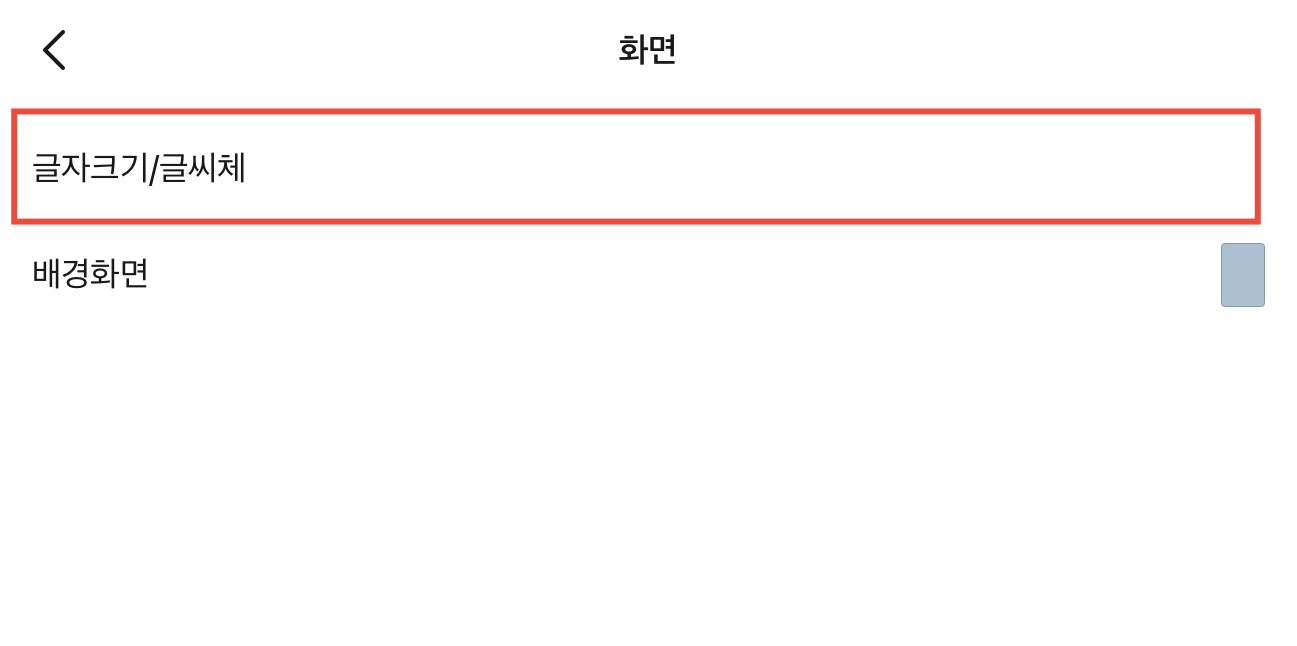
Font Size and Type
Select “Font Size and Type”.
3
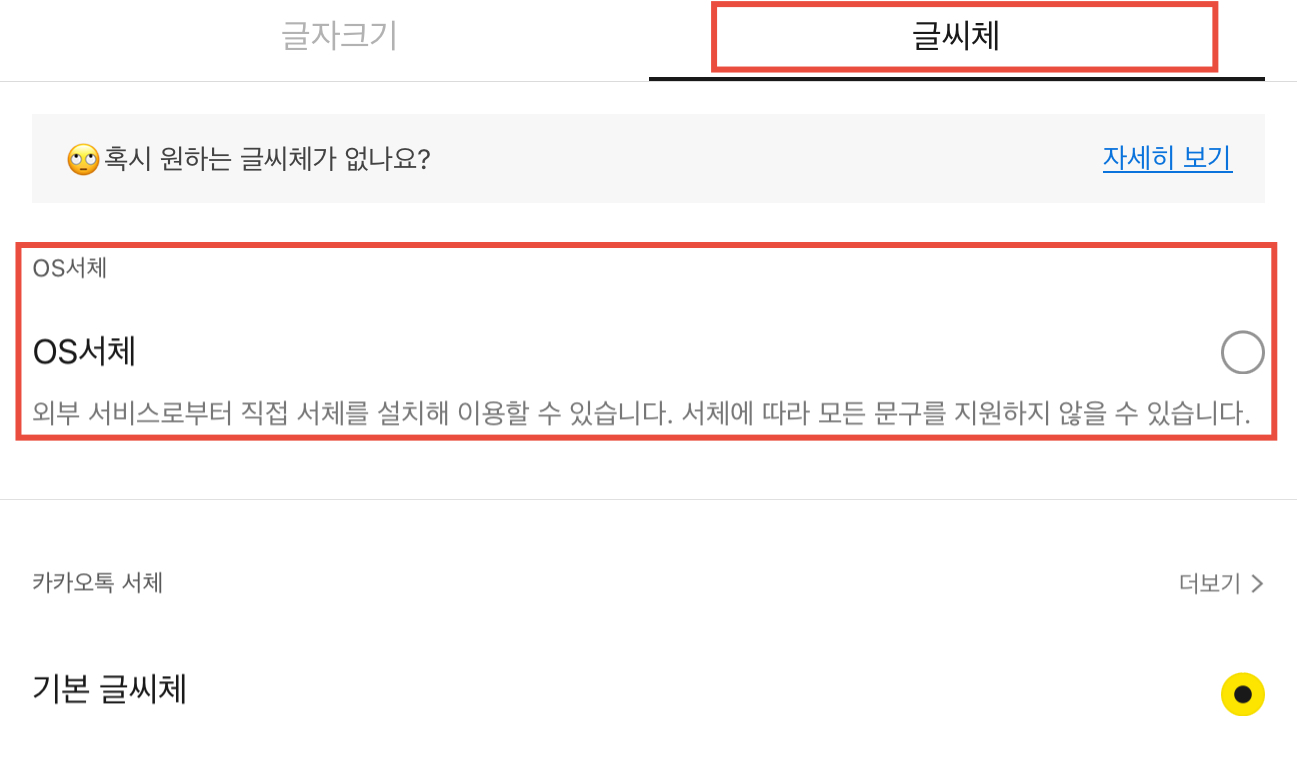
Choose OS Fonts
Tap “Fonts > OS Fonts”.
4
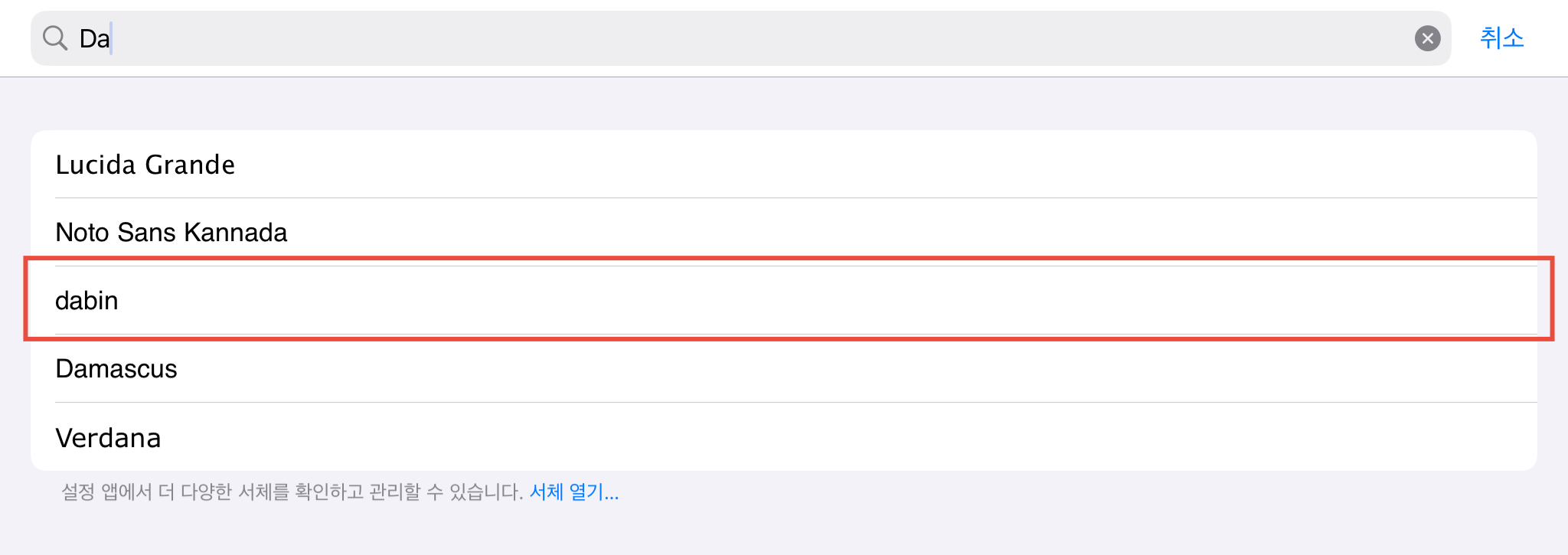
Choose your font
Select the font you registered and start using it!