Managing fonts
How can I delete a font I registered?
Because of iOS policy, apps, including Penfor Pocket, cannot delete font profiles. You need to delete them yourself in your device's Settings.
Deleting the app does not delete the fonts you registered.
Step by step
1
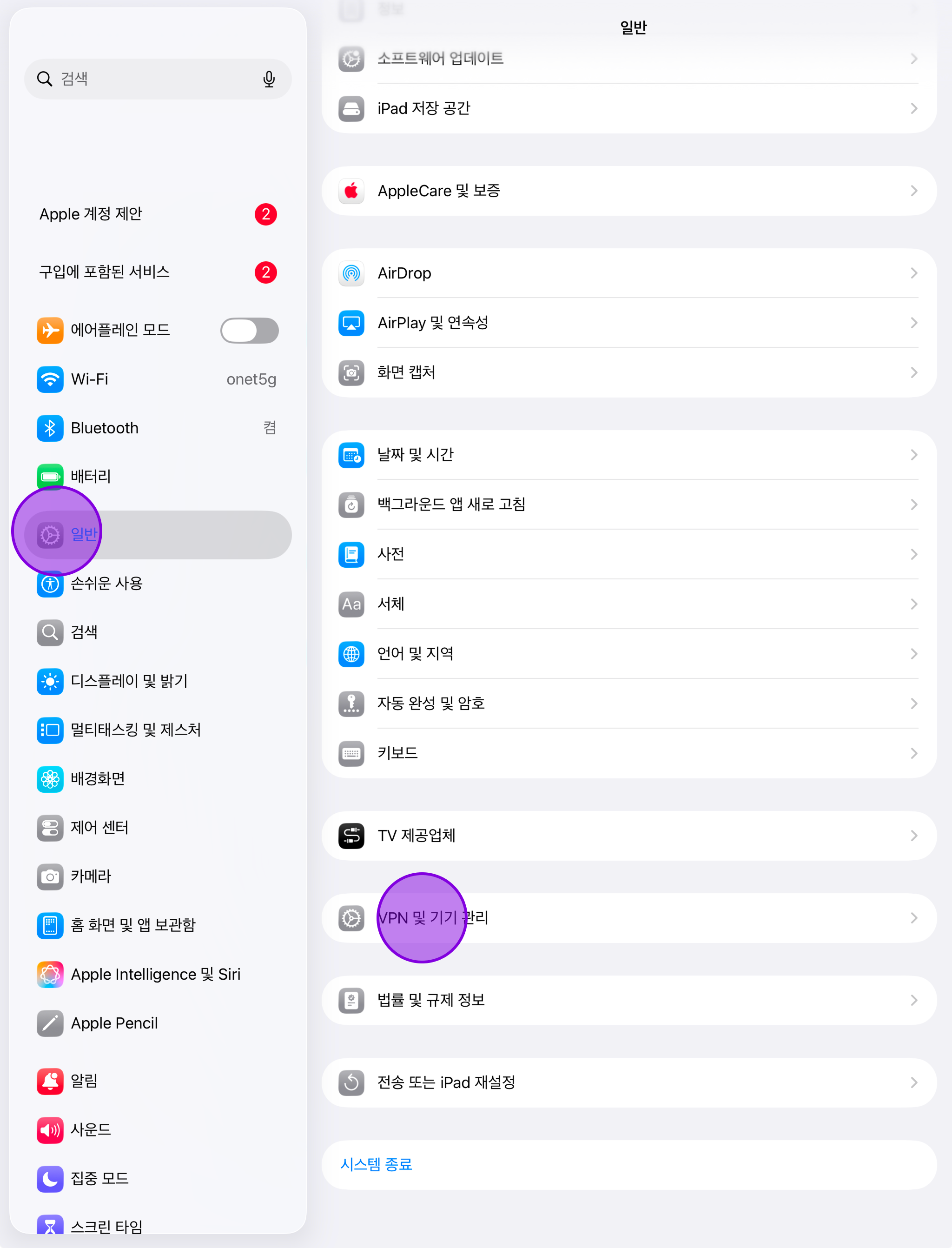
Open VPN & Device Management
In the Settings app, go to “General > VPN & Device Management”.
2
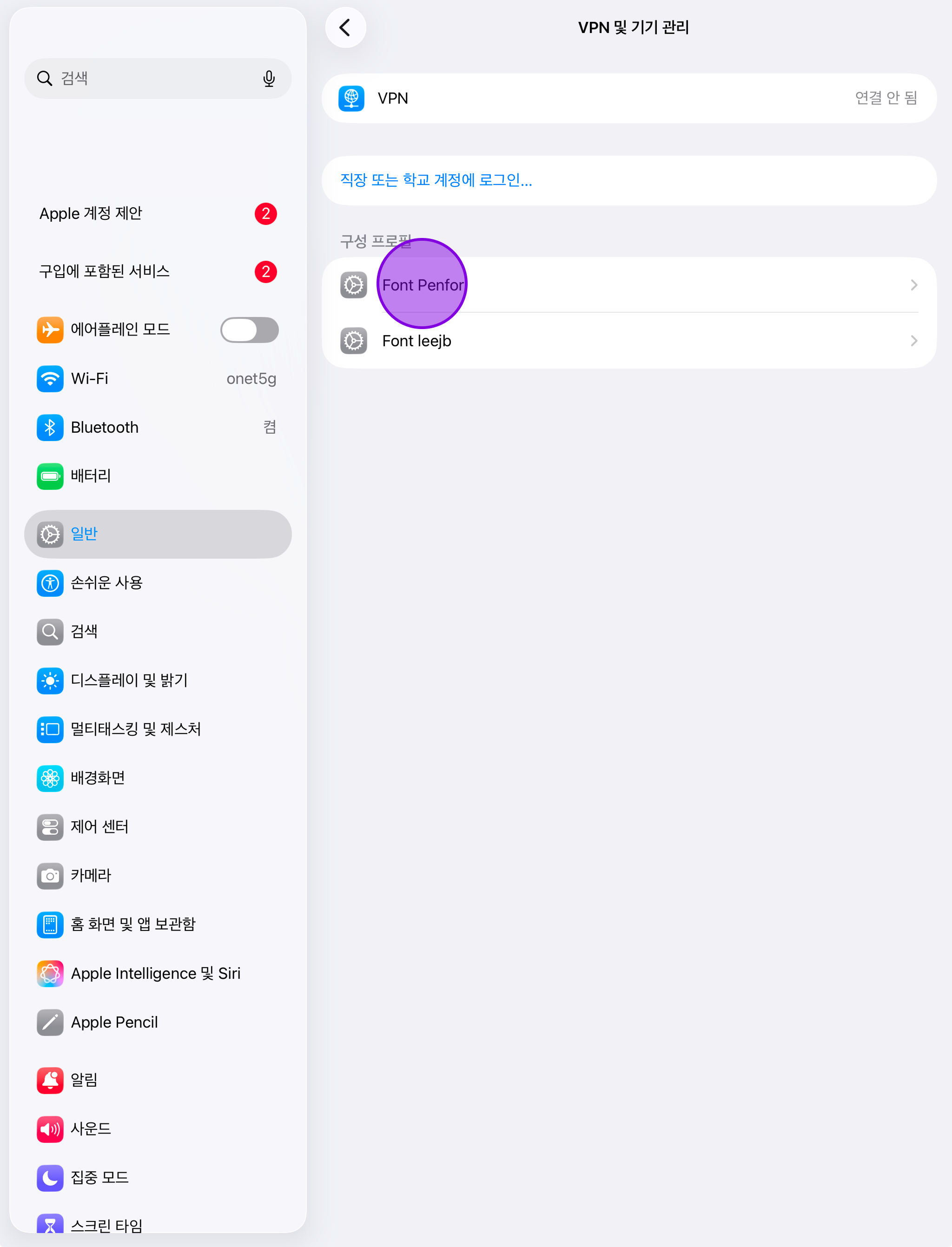
Select the profile
Select the profile you want to delete.
3
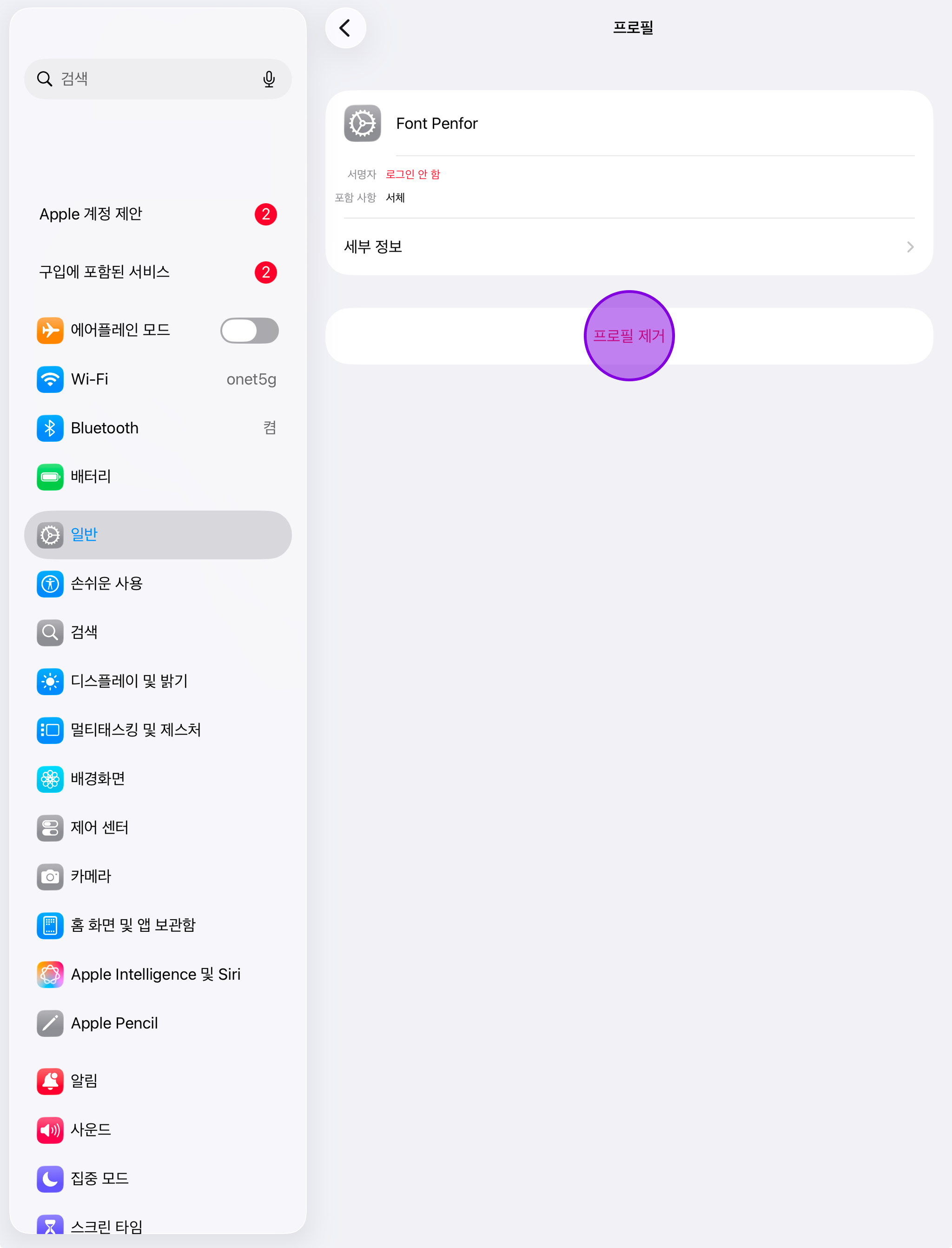
Remove the profile
Tap “Remove Profile” to delete the profile.