Penfor
HomeFAQ
  1. Home
  2. /
  3. FAQ
  4. /
  5. Using fonts
Using fonts

Using your font in Pages

How to use a font you registered in the Pages app.

This guide is not affiliated with Pages and was made independently.

Step by step

1

Select the text tool

Find the text tool in the toolbar and select it.

Select the text tool
2

Choose your font

Choose the font you registered under Font and start writing!
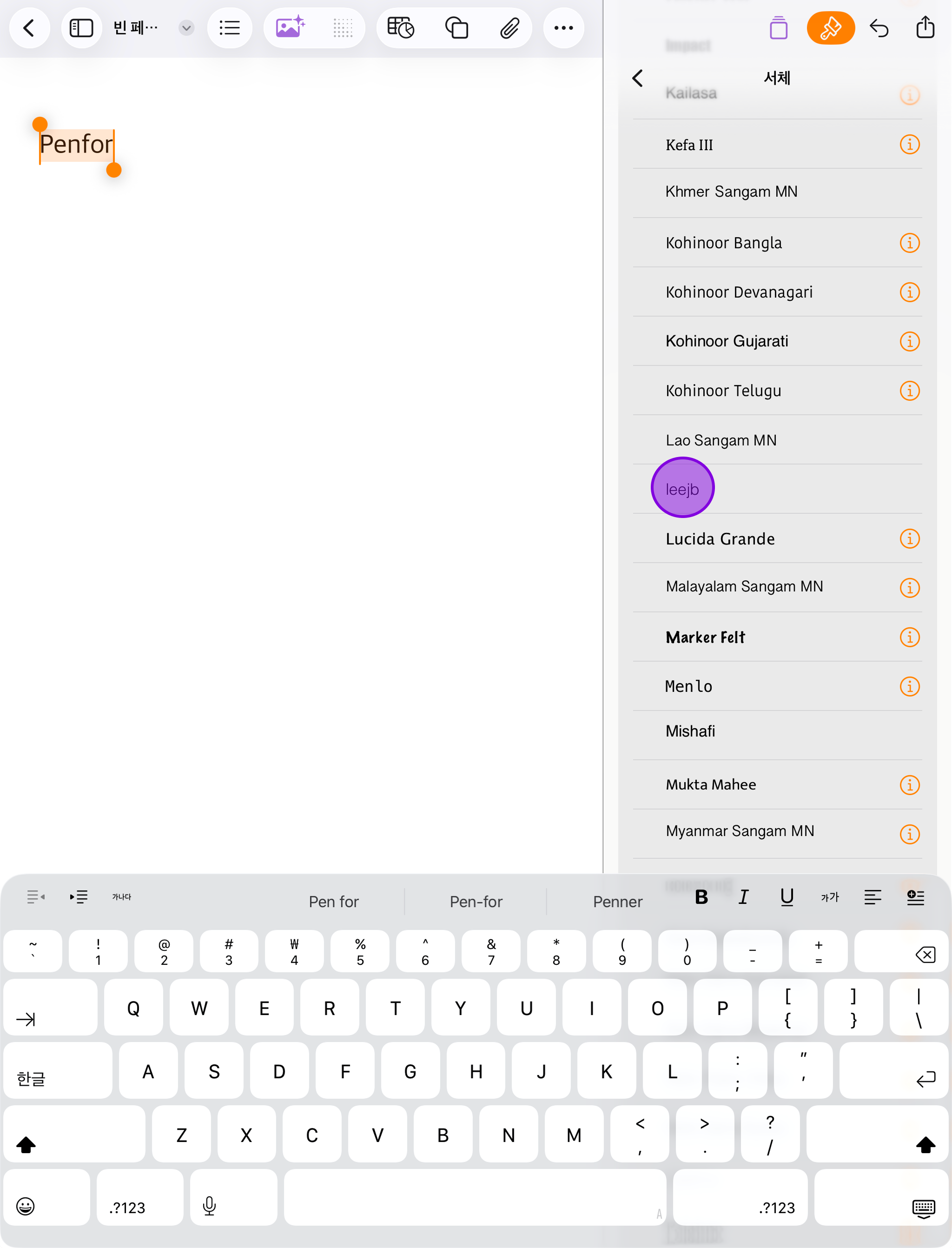
Choose your font
Previous questionHow can I use a font I registered?Next questionUsing your font in GoodNotes

Penfor

Make your own handwriting font

Links

  • Home
  • FAQ
  • Privacy Policy
  • Terms of Service
  • Font License

Download

  • Penfor (iPad)
  • Penfor Pocket (iPhone)
한국어English日本語

© 2026 Torimug. All rights reserved.